 Loupe
Pull requests
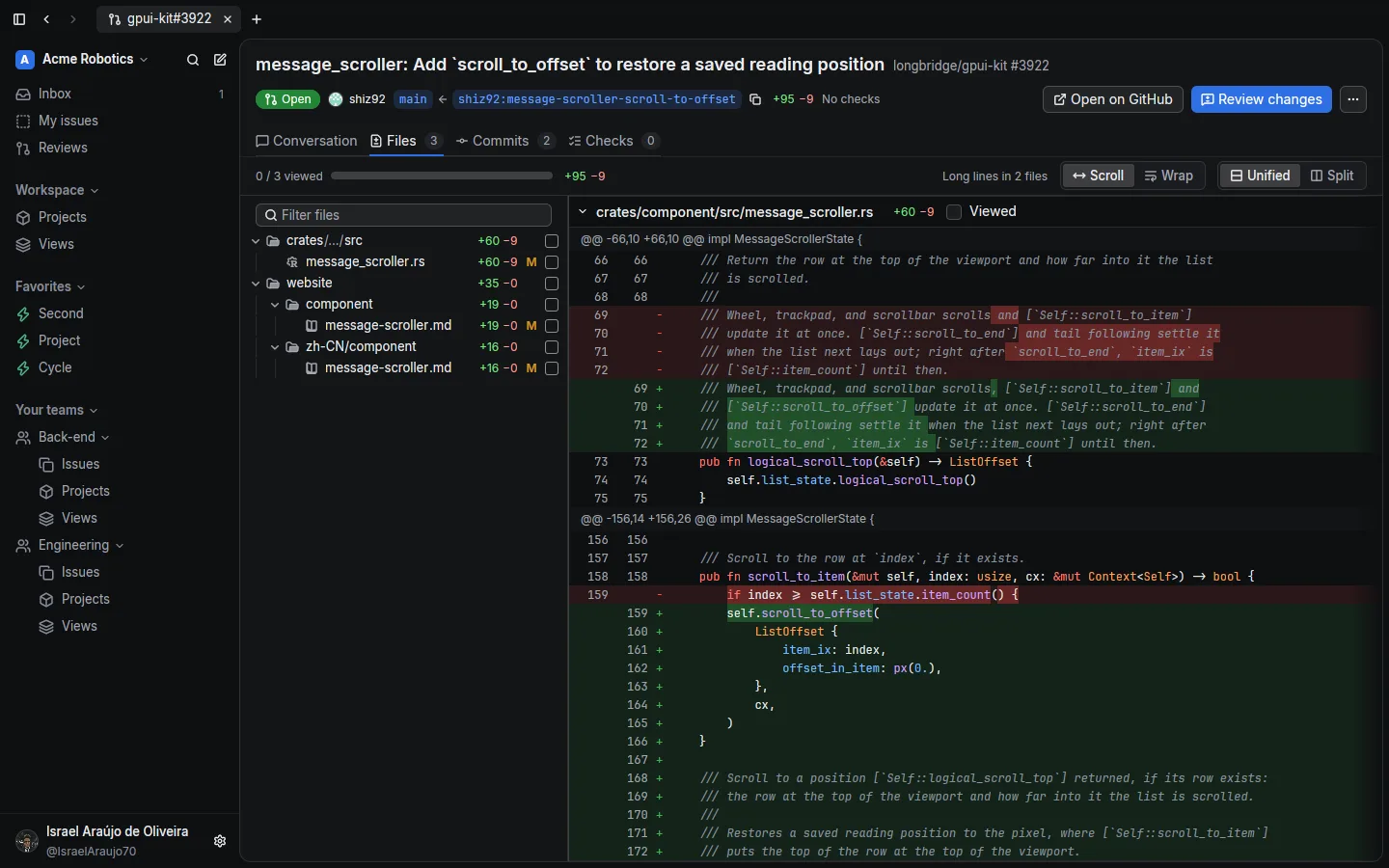
Files with a syntax-highlighted diff, unified or split, with a tree you can filter and mark as viewed. Review threads, suggestions, and the merge box live in the same tab.
Open source · AGPL
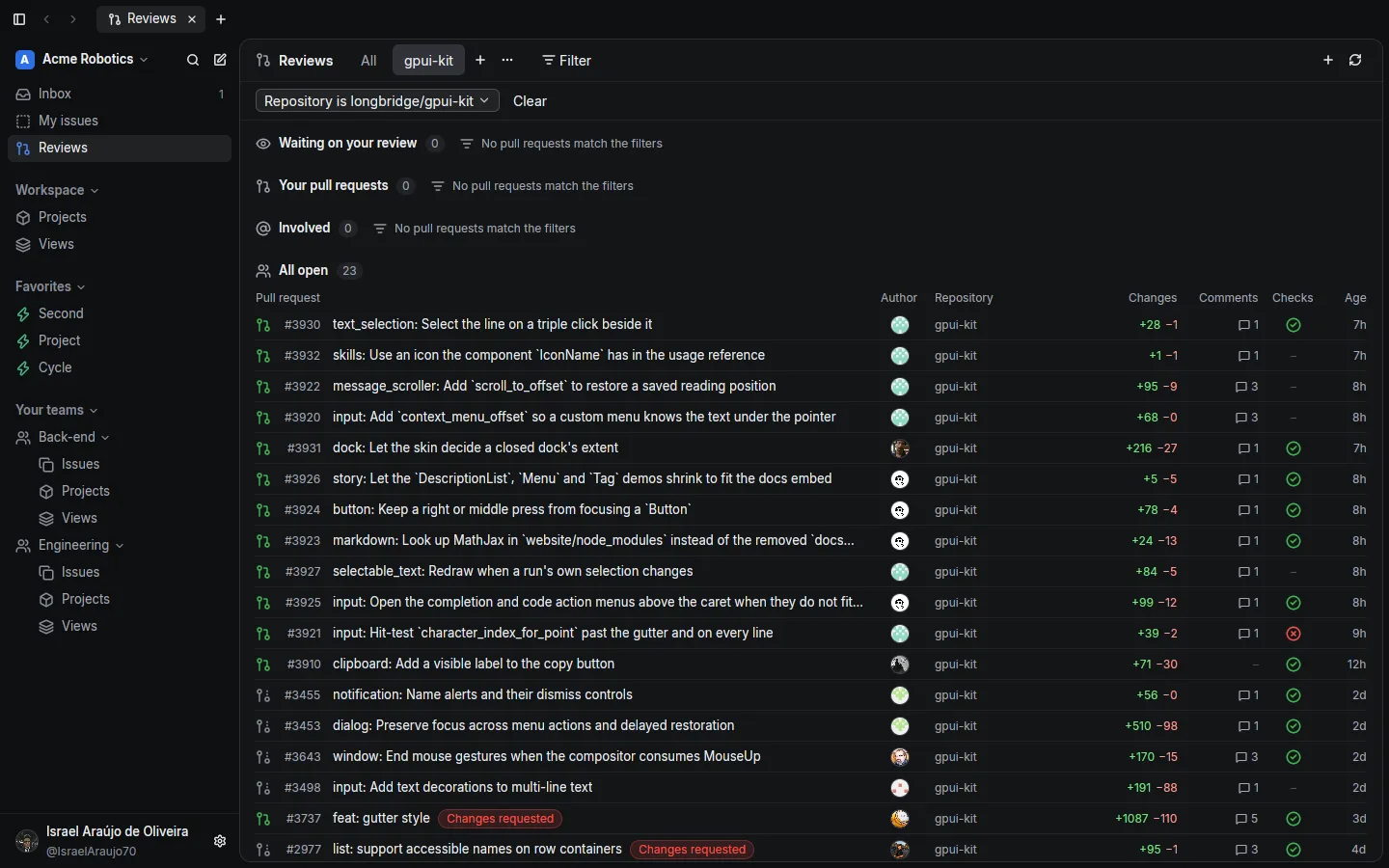
Loupe shows the pull requests waiting on you, the issues they close, and the CI behind them in one native window. Tabs, a command palette, and the keyboard first.
Loupe talks to GitHub and Linear straight from your computer. Tokens live in the macOS Keychain or in your Linux config folder.
AGPL license: read the code, audit it, build it yourself, and contribute.
A native app built in Rust with GPUI. Apple silicon and x86_64 Linux builds, updated in place.
There is no Loupe server and nothing to sign up for. Sign in to GitHub and add a Linear key.
The four things you do between commits, without a dozen browser tabs.
GitHub notifications filtered by organization, repository, or kind, and cleared in bulk.
Conversation, files with a highlighted diff, and checks in one tab. Comment, approve, or request changes.
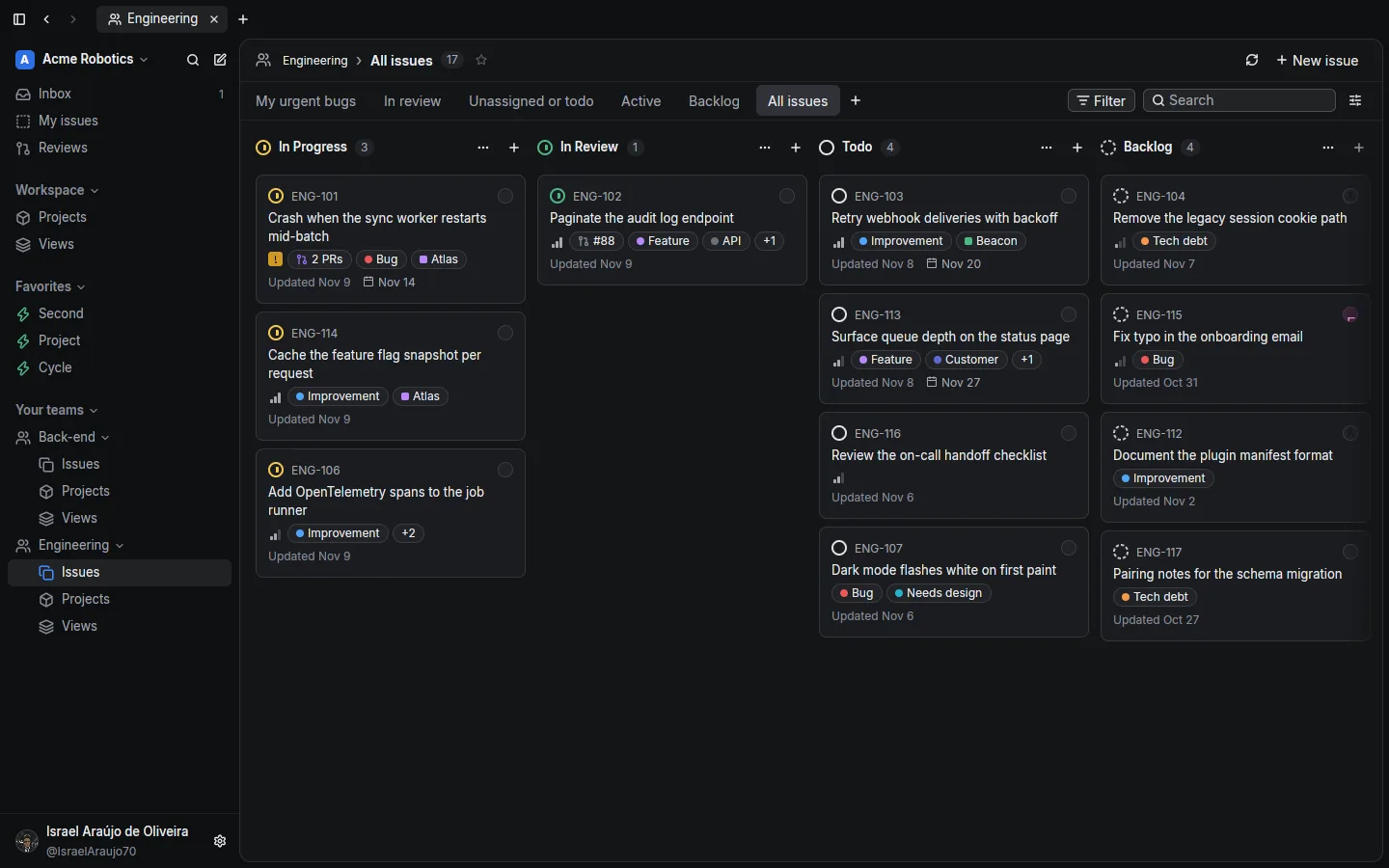
Your Linear board next to the pull request that closes it. Change the status, assignee, or labels in place.
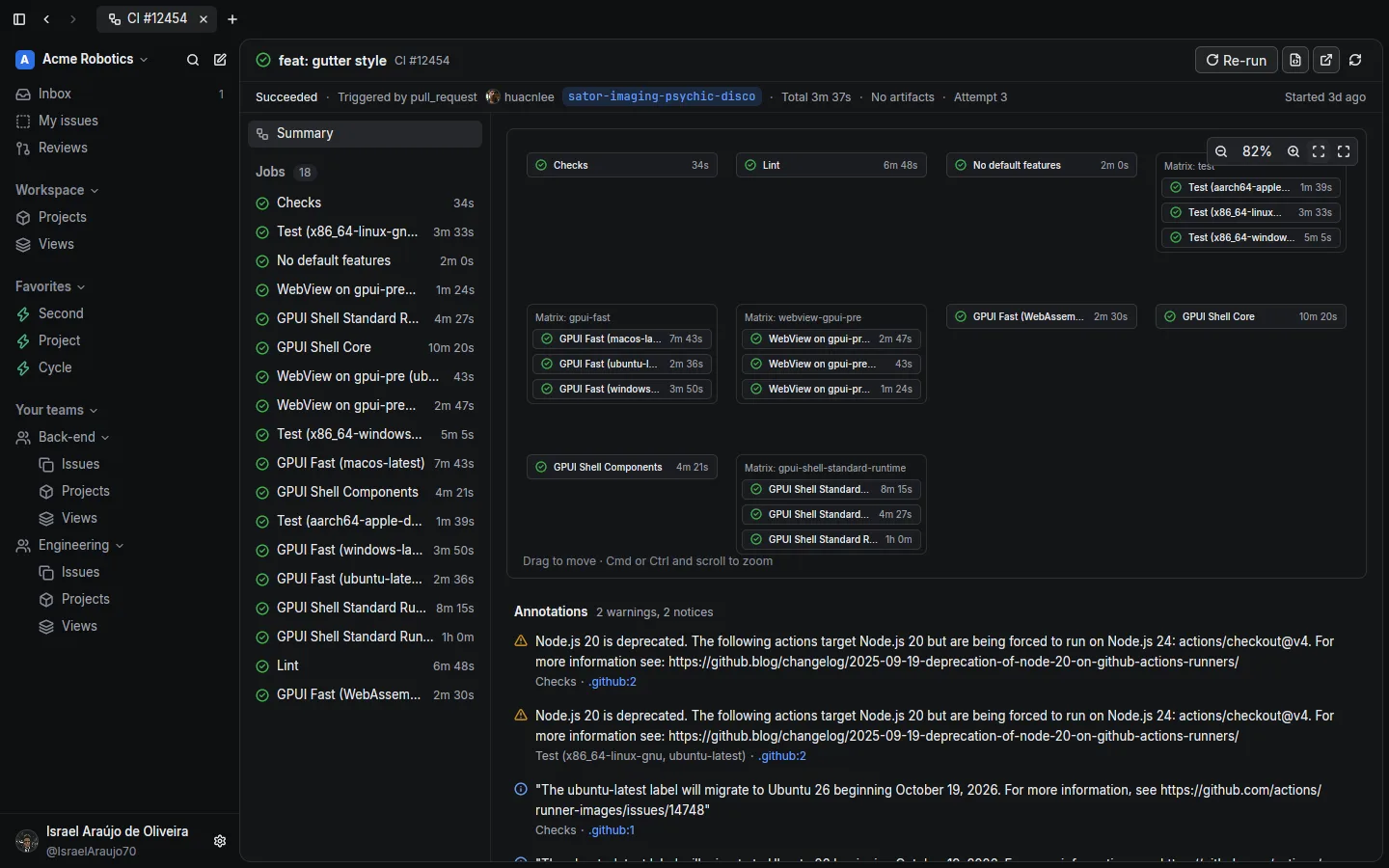
Every check of a pull request, the workflow run behind it as a graph, the log of the step that failed, and Re-run.
Files with a syntax-highlighted diff, unified or split, with a tree you can filter and mark as viewed. Review threads, suggestions, and the merge box live in the same tab.
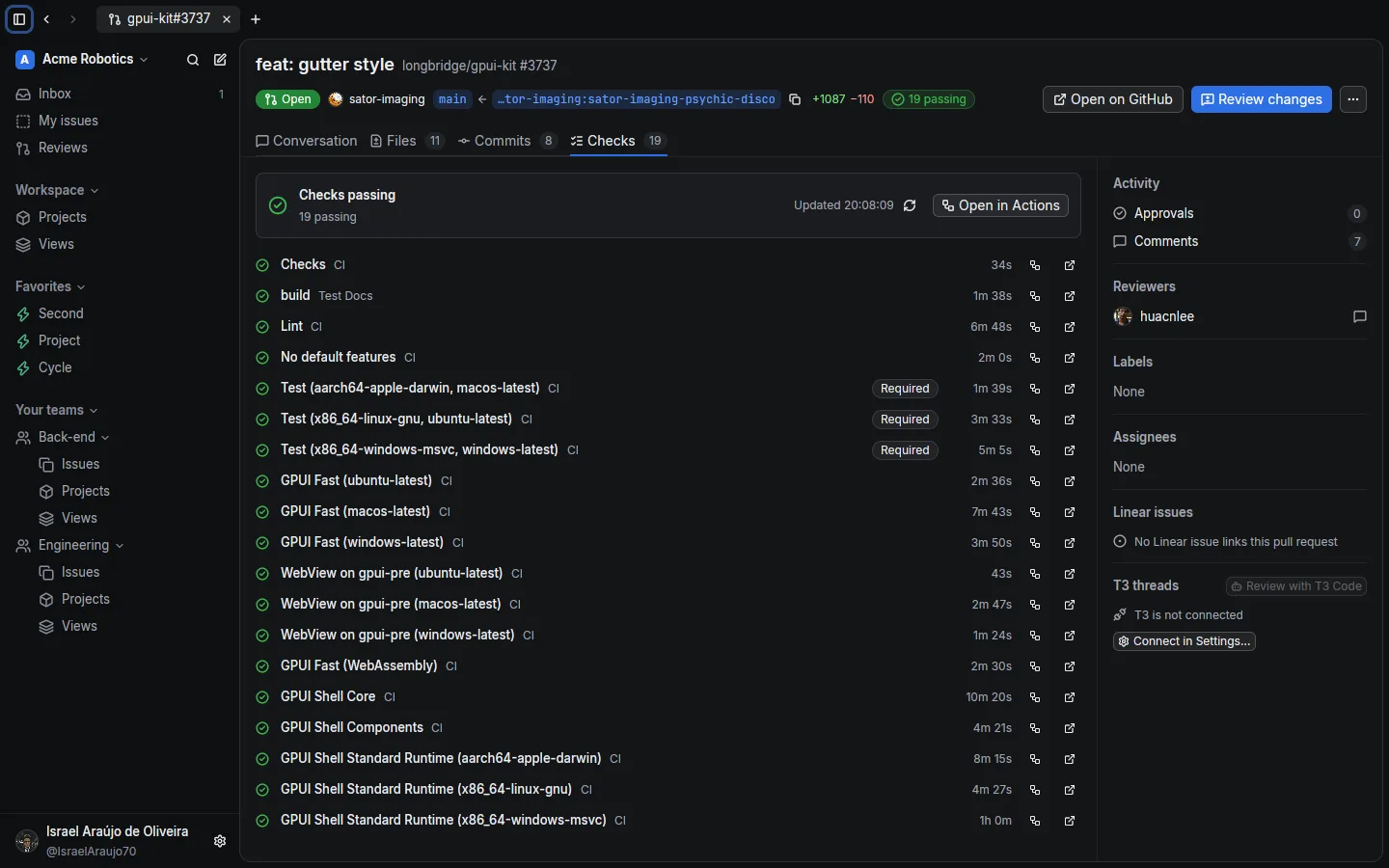
Every check of the head commit, which ones are required, how long each took, and a link to the job.
A workflow run as the graph of its jobs and matrices, with its annotations, artifacts, and Re-run.
Team boards, your issues, projects, and saved views, across several workspaces. Each pull request shows the Linear issues it closes.
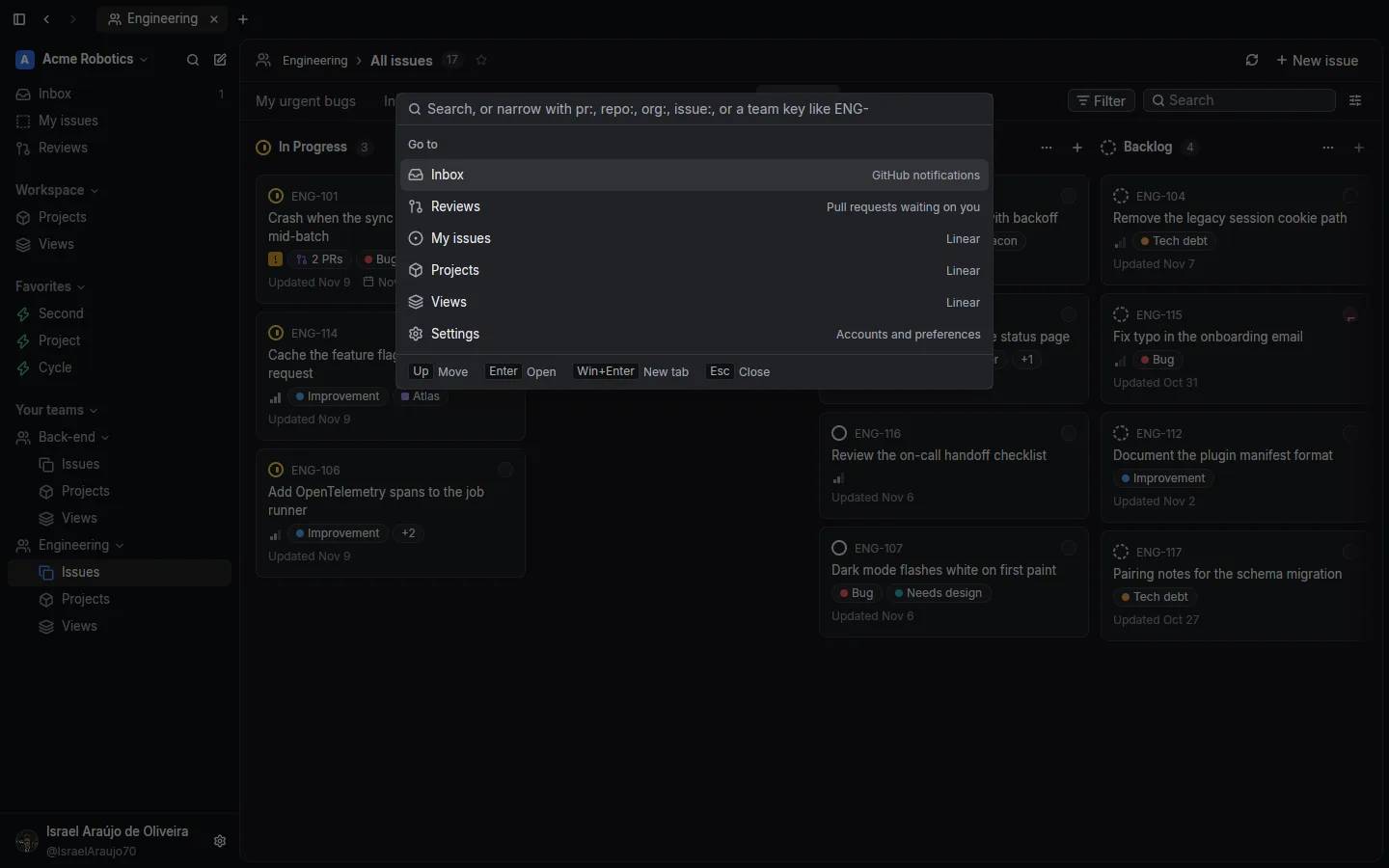
Cmd+K jumps to any pull request, repository, issue, or screen. Narrow it with pr:, repo:, org:, or issue:.
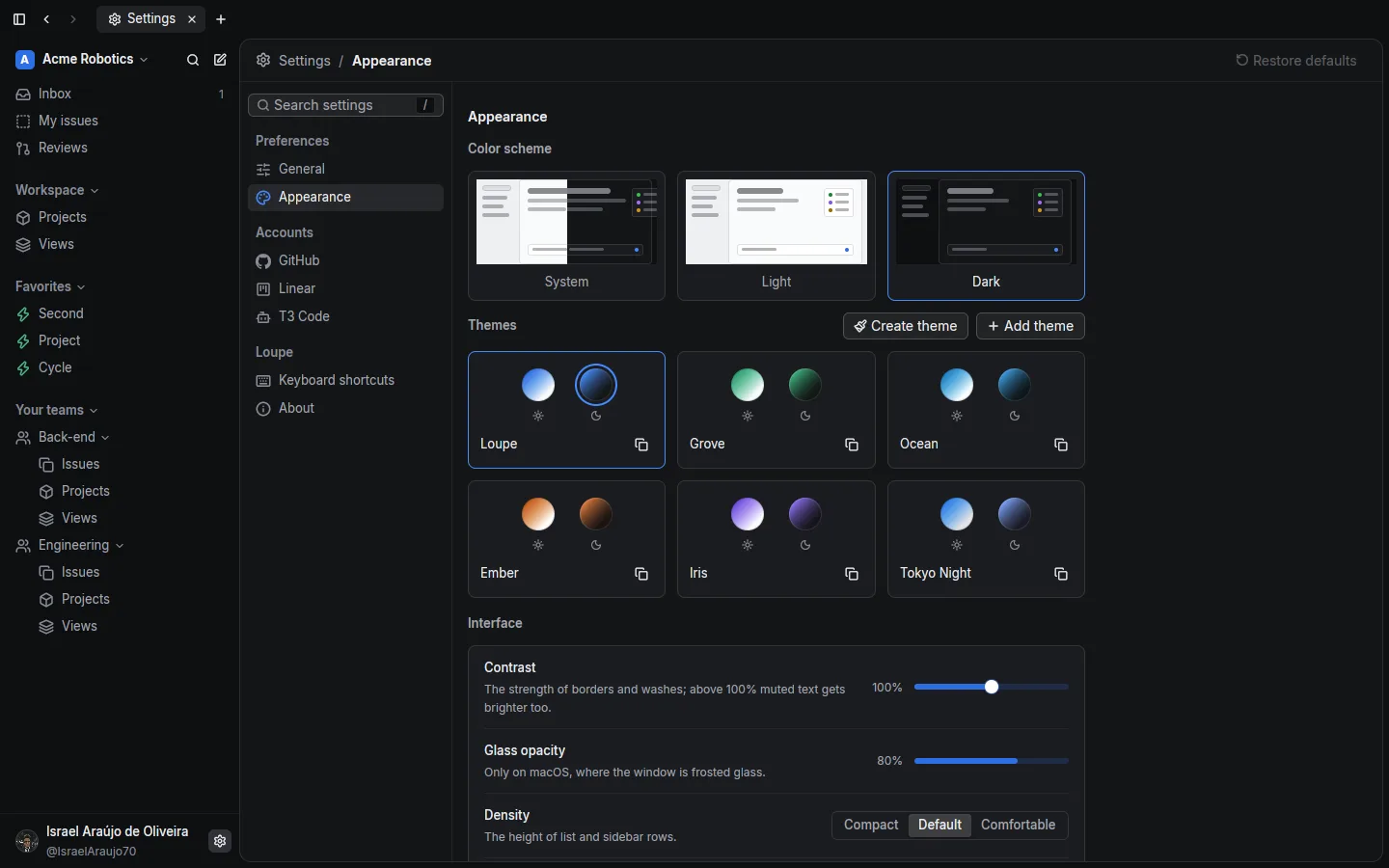
Six themes, each with a light and a dark palette, switched live, plus contrast and density.
Connect a T3 Code server and hand a pull request to it: Loupe writes the review request, picks the project that tracks the repository, and the server starts the review thread in a worktree of the pull request's head.
The review request Loupe writes
Free, for macOS and Linux. Loupe checks for a new release every hour and updates itself.
Apple silicon. Signed, not notarized: the first time, right-click Loupe.app and choose Open.
Download for macOSx86_64, X11 or Wayland, with a Vulkan driver. Run chmod +x on the file, then start it.
Download for LinuxYes. Loupe is free software under the GNU AGPL v3.0. There is no paid plan.
Only to the API they belong to: GitHub tokens to GitHub, Linear keys to Linear, the T3 token to your T3 server. Loupe has no server of its own and collects no analytics.
Sign in with the device flow (scopes repo, read:org, and notifications), paste a personal access token, or let Loupe use the token of the GitHub CLI.
No. Without a Linear key you still get Reviews, the Inbox, pull requests, and Actions. Linear adds boards, issues, and the issues each pull request closes.
Not yet. Releases are built for Apple silicon and x86_64 Linux. You can build from source on other platforms GPUI supports.
An open-source server that runs coding agents in threads. Loupe can start a review thread on it for a pull request; everything else works without it.